Image to perler beads
Image to perler beads is the process of resizing a photo to a pegboard grid and matching each cell to real fuse bead SKU colors. Our tool does that in your browser, then lets you edit cells, preview, and export a materials list.
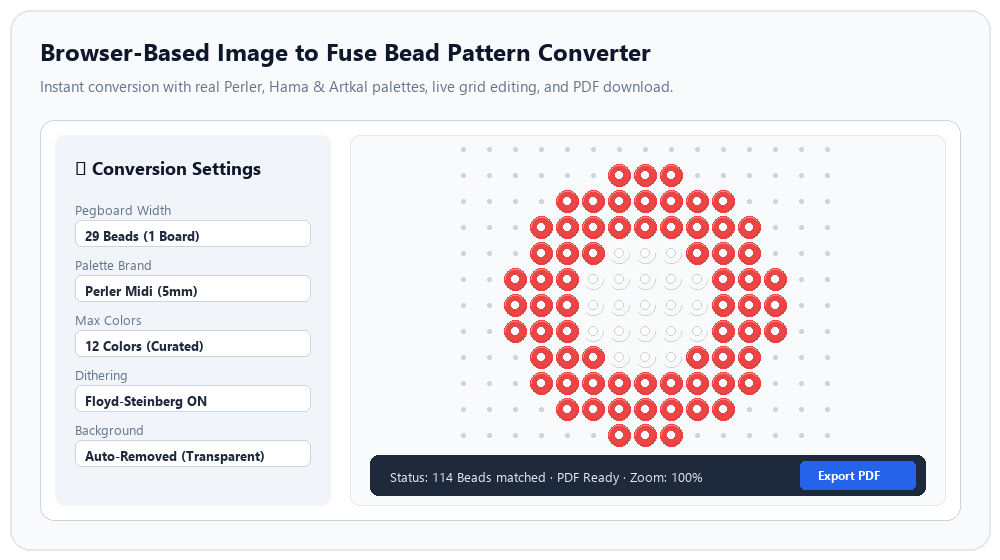
Preview and edit free. Pay for the printable PDF when your design is ready. View pricing
What would you like to make?
Plan the right photo, size and materials for your project.
Pet portraits
Keep the markings that make your pet recognizable. Start with a close-up, remove a distracting background, and compare bead sizes before committing to the build.
Plan this projectPeople and portraits
A recognizable bead portrait depends on a strong crop and enough room for the face. Test the preview before you pay for the printable instructions.
Plan this projectPersonalized gifts
Start with the object you want to give: a small ornament, a coaster or a framed picture. Its size determines how much detail your image can carry.
Plan this projectHow to use it
Upload
Open the maker and drop a JPG, PNG, or WebP file. Pick pattern width in beads (29, 58, 87, and more).
Tune colors
Choose Perler, Hama, Artkal, or Mini. Set max colors, optional dithering, and background removal.
Export
Preview with a watermark for free. Sign in for HD PDF pages, email delivery, and Amazon shopping links per color.