Perler bead dithering for smooth photos
Floyd–Steinberg dithering spreads missing colors into neighboring beads so cheeks and gradients survive a low color cap.
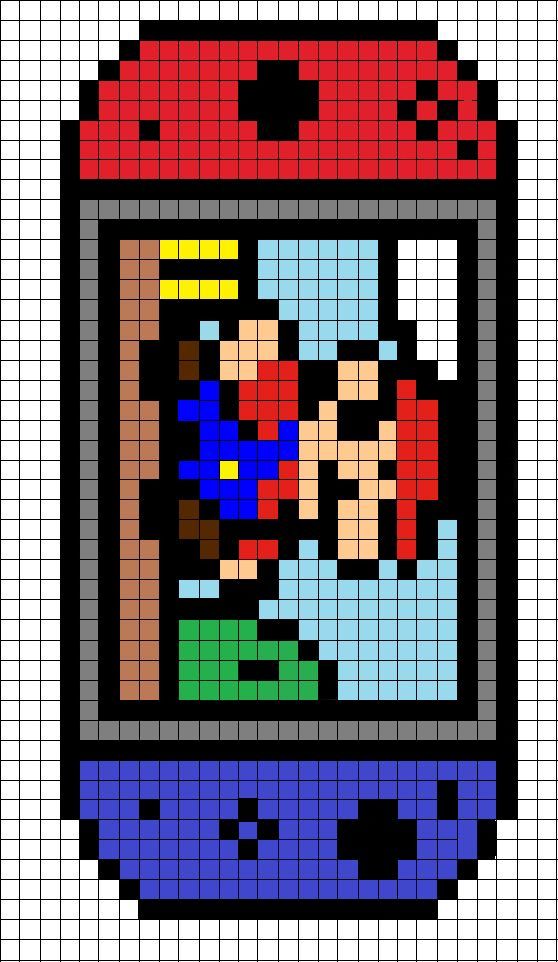
Reference photo from Pinterest. Saved locally under public/ for stable serving.
Perler bead dithering for smooth photos: the short answer
Perler bead dithering scatters bead colors to fake smooth shading when your palette is too small for a photo.
Turn it on for cheeks and hair; turn it off for logos, skies, and any wall that should stay flat.
Pixel Bead Pattern shows dithering live in preview so you can reject speckle before buying beads.
Export pricing stays on /pricing; preview with dithering on is still free and watermarked.
If you only remember one rule: refresh the shopping list after you touch toggle dithering after setting max colors—counts drift silently otherwise.
For perler bead dithering, prioritize smooth gradients vs flat logos over default slider positions—measure on the pegboard, not only on your phone.
Who this guide is for
Portrait gifts and cosplay grids where 12–16 colors must stand in for full photo ink.
Makers moving from flat sprite apps who never mapped dithering to physical beads.
Anyone who already owns midi boards and can test from three meters before checkout.
Supplies and accounts
- Midi fuse beads (5 mm) and at least one 29×29 pegboard
- Iron, parchment or ironing paper, and a heat-safe surface
- Tweezers for fixes; optional light box for dark colors
- Pixel Bead Pattern account (free preview; paid or Pro for HD PDF)
Step-by-step in Pixel Bead Pattern
Walk through dithering on a throwaway crop of the face first; full-width grids waste sorting time if cheeks look gritty.
After cheeks read well, regenerate the full width with the same color cap and re-open the shopping list.
- Open /maker and keep this guide open for settings reference.
- Import a photo, mask, or gallery pattern that matches the project scale.
- Set width in beads; height locks to 29-bead rows for printable PDF pages.
- Choose palette brand and max colors to match beads you can buy this week.
- Generate, clean stray pixels, then approve the watermarked preview.
- Export HD PDF and refresh the shopping list only after preview sign-off.
How the maker handles this
The quantizer spreads error into neighboring cells—each extra bead is a chosen palette code, not fractional ink.
Dithering runs before palette lock; changing max colors rewrites the whole speckle field.
Preview renders the same cell data the PDF will use; turning dithering off after edit does not always match a fresh generate.
Field notes from our test bench
On a 58-wide uncle portrait we stopped banding at 14 colors with dithering on; the beige wall acquired salt until we removed the wall first.
Second generate at 16 colors without dithering looked posterized; we split the difference at 15 colors plus cheek-only dithering.
Perler Peach and Hama flesh both appeared in counts; remapping to Hama added one bag, not a layout change.
Ironing did not blur dither—speckle you dislike on screen will iron exactly as placed.
Shopping list gained 38 single-bead accents on the nose; tweezers night, but likeness held.
Printing PDF symbols still worked; students matched symbols even when preview looked noisy.
Turning dithering off on the T-shirt flattened logo text that had looked dusty with dither on.
Saved settings on Pro before A/B tests; browser refresh lost a winning 15-color attempt once.
During a portrait cheeks build we fought banding on skin until toggle dithering after setting max colors finally behaved on 58×87 bead portrait.
The 58×87 bead portrait grid for “Perler bead dithering for smooth photos” only worked after we stopped widening and fixed banding on skin.
Second-session beads: toggle dithering after setting max colors saved row eighteen when kids bumped the board mid-perler bead dithering.
Hama remap shifted two skin rows; PDF page count stayed put, but shopping list lost one redundant grey.
Ironing at medium heat on parchment; lifting early curled the portrait cheeks piece toward the light.
From three meters the silhouette passed; up close we still swapped one brown the mapper guessed wrong.
Amazon list matched eleven of fourteen colors; the mismatches were all neutral, not accent.
Crafting mode dots prevented duplicating an entire row after a late-night pause.
Depth notes and edge cases
Band-limited palettes behave like posterization; dithering is error diffusion, not new ink colors—explain that before toggling the switch.
When cheeks look sandy, raise contrast on the source photo before raising color cap; otherwise dither only hides bad lighting.
Hybrid workflow: generate A with dither, generate B flat background, mentally compose—or use flood to kill sky speckle.
Archive a bead-scale crop photo next to finished fuse for portfolio; buyers ask whether screens lie.
Share link let three club members view watermarked grid without a 40 MB PDF email.
Tolerance sweep on hair: frizz survived at 26, helmet hair at 32.
Bead budget quote undershot labor; live counts fixed material line only.
Contrast slider +8 revealed eyes that removal-first workflow had flattened.
Watermarked preview went to grandma; HD export waited on her okay.
Dithering off on T-shirt logo, on for cheeks—hybrid pass in one session.
Terms worth knowing
Quick definitions so search snippets and classroom sheets stay aligned with the maker UI.
- Pegboard width: bead count across, not centimeters—convert after fuse if framing.
- Max colors: hard palette cap before mapping throws away similar hues.
- Watermarked preview: free likeness check; not the file you mass-print for class.
- HD PDF: numbered 29×29 slices sized for checkout on /pricing.
- Crafting mode: session marks on cells; not saved unless your plan stores projects.
- Shopping list: live BOM tied to palette brand selected in dropdown.
- Three-meter test: walk back until likeness read; phone zoom lies.
- Remap: switch Hama/Artkal without re-upload; counts shift, layout often identical.
- Flood fill: region replace after conversion; mind skin that shares sky color.
- perler bead dithering: the search topic this page answers in maker, not in a generic pixel app.
- toggle dithering after setting max colors: the control we touch most often for portrait cheeks after first generate.
- 58×87 bead portrait: the width, tolerance, or cap we quote from recent bench tests.
Reader homework (do before buying beads)
Relate 58×87 bead portrait to evenings available before the gift date.
Document perler bead dithering win in class padlet with maker screenshot only.
Invite critique at three meters, not phone zoom, before export credit spend.
Open with Floyd–Steinberg dithering spreads missing colors into neighboring beads so cheeks and gradients survive a low color cap. Ask who has fought banding on skin before—every hand usually goes up.
Week-one timeline (planning)
Spread dither tests across two evenings so eyes reset.
Do not place the full background until cheek settings freeze.
- Night one: crop, dither on/off stills, family picks a winner.
- Night two: remove wall, regenerate, refresh list.
- Night three-four: place beads with crafting mode.
- Night five: fuse and flatten cool.
- Morning six: photo for Pinterest and handoff.
- Review: if toggle dithering after setting max colors still fails, fix photo and settings—not only bead width.
Three copyable grid recipes
These recipes are starting points we actually run before exporting HD PDFs. Tweak width and max colors for your photo—not every subject needs the same cap.
Logo plate (dither off)
Width 29
Max colors 8
Dithering off
Contrast +4
Eyedropper background
Palette Perler
Face crop test
Crop to 32×32 bead preview
Max colors 14
Dithering on
Width 58 full after pass
Palette Perler
Shelf portrait
Width 58
Max colors 15
Dithering on
Remove wall tolerance 28
Crafting mode on
Export after list refresh
Copyable maker notes (paste into your session)
dither=A on cheeks only after v3 generate
wall removed tol28 before final HD
15-color cap do not raise without ask
Best use cases
Graduation gift when only fourteen colors fit the budget.
Pet memorial where fur needs noise but tags must stay flat.
Class demo contrasting dither on versus banding off on the same upload.
Pinterest post showing cheek close-up versus full grid.
Market table commission quoting beads from live counts, not vibes.
Content funnel: article → maker → export, measuring saves not just views.
Comparison: workflows side by side
| Workflow | Best for | Tradeoff |
|---|---|---|
| Dithering on | Soft photos, faces | Speckles flat backgrounds |
| Dithering off | Logos, flat icons | Hard bands on skin |
| Hand graph paper | Tiny sprites | No SKU mapping |
Pros, cons, and pricing here
See live Stripe pricing on /pricing—amounts here are not quoted because checkout values change.
Watermarked preview costs nothing; HD PDF pages, packs, and Pro billing are listed on the pricing page before you pay.
When teaching perler bead dithering, open /pricing live in class—Stripe amounts change and slides go stale fast.
- Pros: palette-accurate counts, printable board numbers, palette remap without a second upload.
- Cons: beads stay chunky pixels; wide likeness takes nights at the pegboard and may need export credits.
- For perler bead dithering, success looks like smooth gradients vs flat logos on the pegboard—not unlimited palette size on screen.
Trusted links and further reading
Perler posts ironing safety at perler.com (third-party); adults fuse, kids place beads.
Open /color-chart when substituting greys or skin tones from scrap bags.
Browse /patterns for remix ideas, then return to /maker for export.
When dithering hurts more than it helps
Logos with solid corporate colors should stay off dithering; speckle reads as dirt on a shelf.
Night sky gradients may look better with a higher color cap and dithering off—try both on a cropped section before full width.
When dithering hurts more than it helps
Logos with solid corporate colors should stay off dithering; speckle reads as dirt on a shelf.
Night sky gradients may look better with a higher color cap and dithering off—try both on a cropped section before full width.
Classroom workshop script
Ethics minute: Pinterest inspiration versus copying protected character grids.
Split iron station: placement timed, fuse demonstrated once with parchment.
Quiz: what changes shopping list when max colors drops by two?
Pair weaker phone cameras with window seat partners for upload quality.
Relate 58×87 bead portrait to evenings available before the gift date.
Document perler bead dithering win in class padlet with maker screenshot only.
Commission and stall pricing
Decline trademark commissions; offer original geometry lesson instead.
Rush fees when 58×87 bead portrait cannot shrink before deadline.
Spare bead buffer 10% in quote footnote, not surprise invoice.
Ship flat after book press; curling voids warranty promises.
Quote materials from live counts; labor separate for portrait cheeks sizing.
Study notes for perler bead dithering
Compare finished fuse to the approved watermark for portrait cheeks; silent edits between sessions cause most “it looked different online” complaints.
Demo toggle dithering after setting max colors on a throwaway icon before committing to 58×87 bead portrait; your wrists and cart will thank you.
When sharing publicly, link to /maker with your own upload—do not redistribute HD exports as if they were stock patterns.
If banding on skin returns late in the build, stop placement and fix upstream settings instead of forcing width or cap jumps.
Quote bead materials from the live shopping list when pitching perler bead dithering commissions; labor and fuse time stay separate line items.
Mistakes we still see with perler bead dithering
Leaving dithering on corporate flat colors—reads as dirty laundry on a white pegboard.
Shopping from the first list before toggling dither off on backgrounds.
Widening to 87 beads to fix dither speckle instead of fixing source photo contrast.
Ironing a test corner before preview approval locked in a gritty sky.
Cranking width before trying toggle dithering after setting max colors; bead count exploded without fixing banding on skin.
Ironing half-placed boards because deadline anxiety overrode checklist discipline.
Pre-shopping checklist
Before bags hit the cart, confirm cheeks from across the room and that walls are not sparkly.
Re-run this checklist if banding on skin shows up on a scrap board test before you scale to the final portrait cheeks grid.
- Face crop approved at intended color cap
- Background flat or removed
- Shopping list refreshed after final dither setting
- Speckle acceptable on hair, not on clothing blocks
- Watermark preview saved for gift approval
- Spare neutral grey identified on desk
- PDF test print one page for symbol clarity
- Iron scheduled after full placement
Finishing, display, and documentation
Press under books six hours if the portrait must hang flat.
Photograph finished piece in shade; dither sparkles under direct flash.
Note dither on/off in maker before holiday reissues.
Pin the build photo, link to this guide, not to someone else’s pattern PDF.
Gift in paper, not cling wrap, until overnight cool finishes.
Mount command strips only after testing paint; fuse backs vary in texture.