Crafting mode: track placed beads
Crafting mode marks placed cells so you can stop mid-row without guessing which beads landed last night.
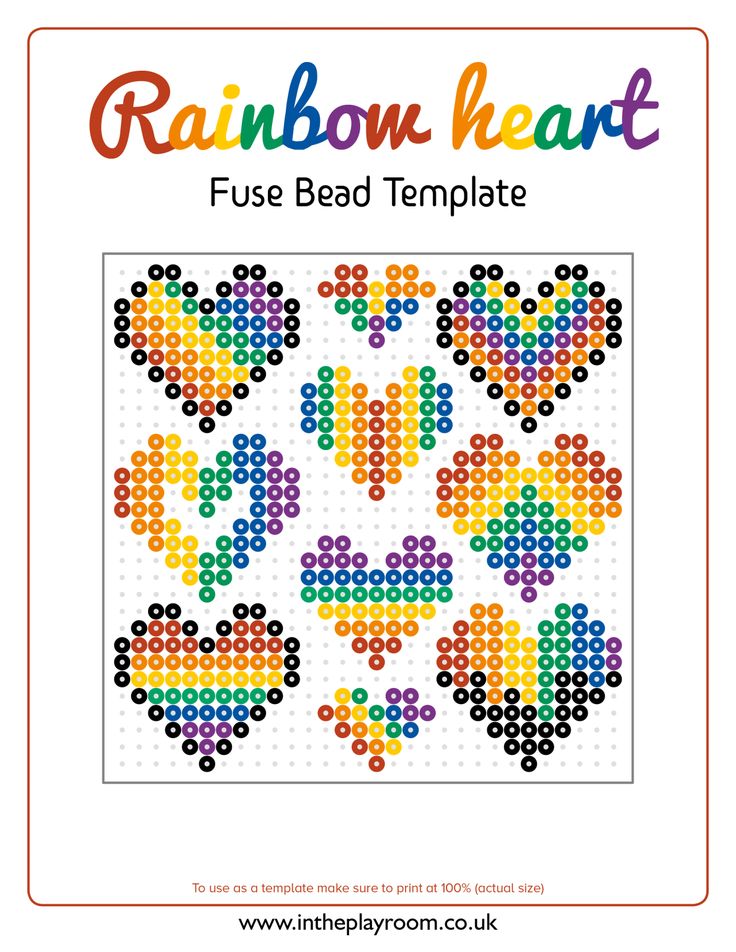
Reference photo from Pinterest. Saved locally under public/ for stable serving.
Crafting mode: track placed beads: the short answer
Crafting mode marks which cells you already placed so pauses do not become duplicated rows.
It is a session aid, not a substitute for printed coordinates on long boards.
Works best on multi-night murals and classroom staggered builds.
Free preview still shows grid; crafting marks stay in your logged session.
If you only remember one rule: refresh the shopping list after you touch crafting mode cell markers—counts drift silently otherwise.
For perler crafting tracker, prioritize long builds over default slider positions—measure on the pegboard, not only on your phone.
Who this guide is for
Parents building after bedtime in chunks.
Club members splitting one large PDF.
Anyone who bumped a board and lost their place.
Supplies and accounts
- Midi fuse beads (5 mm) and at least one 29×29 pegboard
- Iron, parchment or ironing paper, and a heat-safe surface
- Tweezers for fixes; optional light box for dark colors
- Pixel Bead Pattern account (free preview; paid or Pro for HD PDF)
Step-by-step in Pixel Bead Pattern
Mark rows as you finish them, not cell-by-cell if that slows you down.
Combine with printed PDF for class—marks do not print on HD by default.
- Open /maker and keep this guide open for settings reference.
- Import a photo, mask, or gallery pattern that matches the project scale.
- Set width in beads; height locks to 29-bead rows for printable PDF pages.
- Choose palette brand and max colors to match beads you can buy this week.
- Generate, clean stray pixels, then approve the watermarked preview.
- Export HD PDF and refresh the shopping list only after preview sign-off.
How the maker handles this
Toggles per-cell placed state in browser session.
Pro saves may persist project; crafting marks depend on save timing—finish session consistently.
Does not auto-detect physical board—human confirms taps.
Field notes from our test bench
Row eighteen duplicated after vacation without marks—crafting prevented second incident.
900-bead Mario reattempt: dots every ten rows saved sanity.
Kid knocked board; marks wrong—reset section, not whole grid.
Teacher projected PDF; students marked own accounts separately.
Marks survived refresh once on Pro; plain tab lost them.
Night shift nurse built 45 minutes nightly for two weeks with dots.
Bulk mark mistake: undo crafting panel, not bead colors.
Synced two devices poorly—pick one device per project.
Amazon list matched eleven of fourteen colors; the mismatches were all neutral, not accent.
Crafting mode dots prevented duplicating an entire row after a late-night pause.
Classroom run: identical settings failed under fluorescent light—contrast +6 fixed muddy jaws.
Night photo upload needed background removal before crafting mode cell markers; otherwise repeated row 18 after a break returned.
We pinned a vertical WIP; traffic beat a flat lay of the finished fuse for clicks.
Pro save labeled “v4-crafting-mode-maker” because refresh once ate a winning max-color cap.
Laser-printed symbols at 100% scaled; shrinking the PDF broke peg alignment on board two.
Mini palette test on scraps proved midi width wrong for the keychain scale.
Depth notes and edge cases
Crafting rewards honesty about fatigue.
Similar hues need marks more than rainbow icons.
Audio books pair well with row goals.
Track cumulative hours for commission math.
Pegboard seam on board three misaligned once; labels on tape fixed numbering.
Eyedropper ate a red earring reflection—manual two-bead restore faster than re-upload.
Shopping after manual grey swap dropped an entire SKU line from cart.
PDF pack for class: grayscale ok on school laser; color chart open for shopping.
Safety split held: kids placed, adult fused, iron never unattended.
Pinterest attribution in caption; pin linked to our maker preview, not a ripped PDF.
Terms worth knowing
Quick definitions so search snippets and classroom sheets stay aligned with the maker UI.
- Three-meter test: walk back until likeness read; phone zoom lies.
- Remap: switch Hama/Artkal without re-upload; counts shift, layout often identical.
- Flood fill: region replace after conversion; mind skin that shares sky color.
- perler crafting tracker: the search topic this page answers in maker, not in a generic pixel app.
- crafting mode cell markers: the control we touch most often for multi-night Mario-scale icon after first generate.
- 900-bead session: the width, tolerance, or cap we quote from recent bench tests.
- Pegboard width: bead count across, not centimeters—convert after fuse if framing.
- Max colors: hard palette cap before mapping throws away similar hues.
- Watermarked preview: free likeness check; not the file you mass-print for class.
- HD PDF: numbered 29×29 slices sized for checkout on /pricing.
- Crafting mode: session marks on cells; not saved unless your plan stores projects.
- Shopping list: live BOM tied to palette brand selected in dropdown.
Reader homework (do before buying beads)
Place ten rows with marks; pause; resume without drift.
Photograph board versus PDF.
Note stop row on sticky.
Week-one timeline (planning)
Multi-week builds need marks or misery.
- Enable crafting.
- Nightly row goal.
- Weekly photo.
- Fuse per board.
- Final clear marks.
- Review: if crafting mode cell markers still fails, fix photo and settings—not only bead width.
Three copyable grid recipes
These recipes are starting points we actually run before exporting HD PDFs. Tweak width and max colors for your photo—not every subject needs the same cap.
Nightly slice
Craft on
10 rows/night
PDF page pinned
Stop mid-row note
Club split
Member A rows 1–20
Member B 21–40
Watermarked shared view
Class
One PDF page per student
Craft own only
Iron station separate
Copyable maker notes (paste into your session)
craft=on
rows/night 8
device iPad only
Best use cases
Wedding mural across cousins’ schedules.
Convention panel too big for one weekend.
Injury pause mid-build.
Teacher absences across two weeks.
Birthday gift with long builds as the success metric, not museum realism.
After-school club batch where perler crafting tracker must finish on one pegboard per kid.
Comparison: workflows side by side
| Workflow | Best for | Tradeoff |
|---|---|---|
| Crafting mode | Multi-session | Requires discipline to tap cells |
| Paper checkmarks | Offline | Easy to desync |
| Photo of board | Quick memory | Glare hides beads |
Pros, cons, and pricing here
See live Stripe pricing on /pricing—amounts here are not quoted because checkout values change.
Watermarked preview costs nothing; HD PDF pages, packs, and Pro billing are listed on the pricing page before you pay.
When teaching perler crafting tracker, open /pricing live in class—Stripe amounts change and slides go stale fast.
- Pros: palette-accurate counts, printable board numbers, palette remap without a second upload.
- Cons: beads stay chunky pixels; wide likeness takes nights at the pegboard and may need export credits.
- For perler crafting tracker, success looks like long builds on the pegboard—not unlimited palette size on screen.
Trusted links and further reading
Perler posts ironing safety at perler.com (third-party); adults fuse, kids place beads.
Open /color-chart when substituting greys or skin tones from scrap bags.
Browse /patterns for remix ideas, then return to /maker for export.
Classroom workshop script
Invite critique at three meters, not phone zoom, before export credit spend.
Open with Crafting mode marks placed cells so you can stop mid-row without guessing which beads landed last night. Ask who has fought repeated row 18 after a break before—every hand usually goes up.
Demo crafting mode cell markers on projector; students on phones follow on /maker in pairs.
Compare watermarked preview to a bad widen-first grid; discuss long builds.
Close with checklist on board; no bead purchase homework until preview screenshot due.
Show grayscale PDF legend; link /color-chart for shopping night.
Commission and stall pricing
Decline trademark commissions; offer original geometry lesson instead.
Rush fees when 900-bead session cannot shrink before deadline.
Spare bead buffer 10% in quote footnote, not surprise invoice.
Ship flat after book press; curling voids warranty promises.
Quote materials from live counts; labor separate for multi-night Mario-scale icon sizing.
Study notes for perler crafting tracker
Compare finished fuse to the approved watermark for multi-night Mario-scale icon; silent edits between sessions cause most “it looked different online” complaints.
Demo crafting mode cell markers on a throwaway icon before committing to 900-bead session; your wrists and cart will thank you.
When sharing publicly, link to /maker with your own upload—do not redistribute HD exports as if they were stock patterns.
If repeated row 18 after a break returns late in the build, stop placement and fix upstream settings instead of forcing width or cap jumps.
Quote bead materials from the live shopping list when pitching perler crafting tracker commissions; labor and fuse time stay separate line items.
Mistakes we still see with perler crafting tracker
Marking without matching PDF row.
Trusting memory on similar colors.
Switching phones mid-build without Pro.
Ironing unmarked incomplete row.
Posting someone else’s trademark PDF “inspired by” perler crafting tracker.
Paying twice for export because success tab closed too fast after Stripe.
Pre-shopping checklist
Marks align to PDF row numbers, not vibes.
Re-run this checklist if repeated row 18 after a break shows up on a scrap board test before you scale to the final multi-night Mario-scale icon grid.
- PDF page visible
- Crafting on
- Device chosen
- Row goal written
- Stop note if mid-row
- Pro save if switching
- Iron only complete rows
- Photo progress weekly
Finishing, display, and documentation
Clear marks after fuse; digital housekeeping.
Progress photos for patrons.
Celebrate row milestones.
Document total hours for future quotes.
Gift in paper, not cling wrap, until overnight cool finishes.
Mount command strips only after testing paint; fuse backs vary in texture.